
Documentation
Run, load, and author Buildprints.
Buildprints are reusable implementation packets for coding agents. This guide covers the three jobs: run a maintained packet, optionally load its exact files with AGB, or author a new one.
Start here
Pick a path. They are ordered from the fastest to the most hands-on.
.buildprint/ folder with packet snapshots. 03 Create a Buildprint Use the author packet to generate a reusable capability packet. Why Buildprints
A coding agent usually has to rediscover the job from a short prompt: what to build, what to preserve, which files matter, and what counts as done. A Buildprint makes that explicit and reusable, so a fresh agent can start without you re-explaining it.
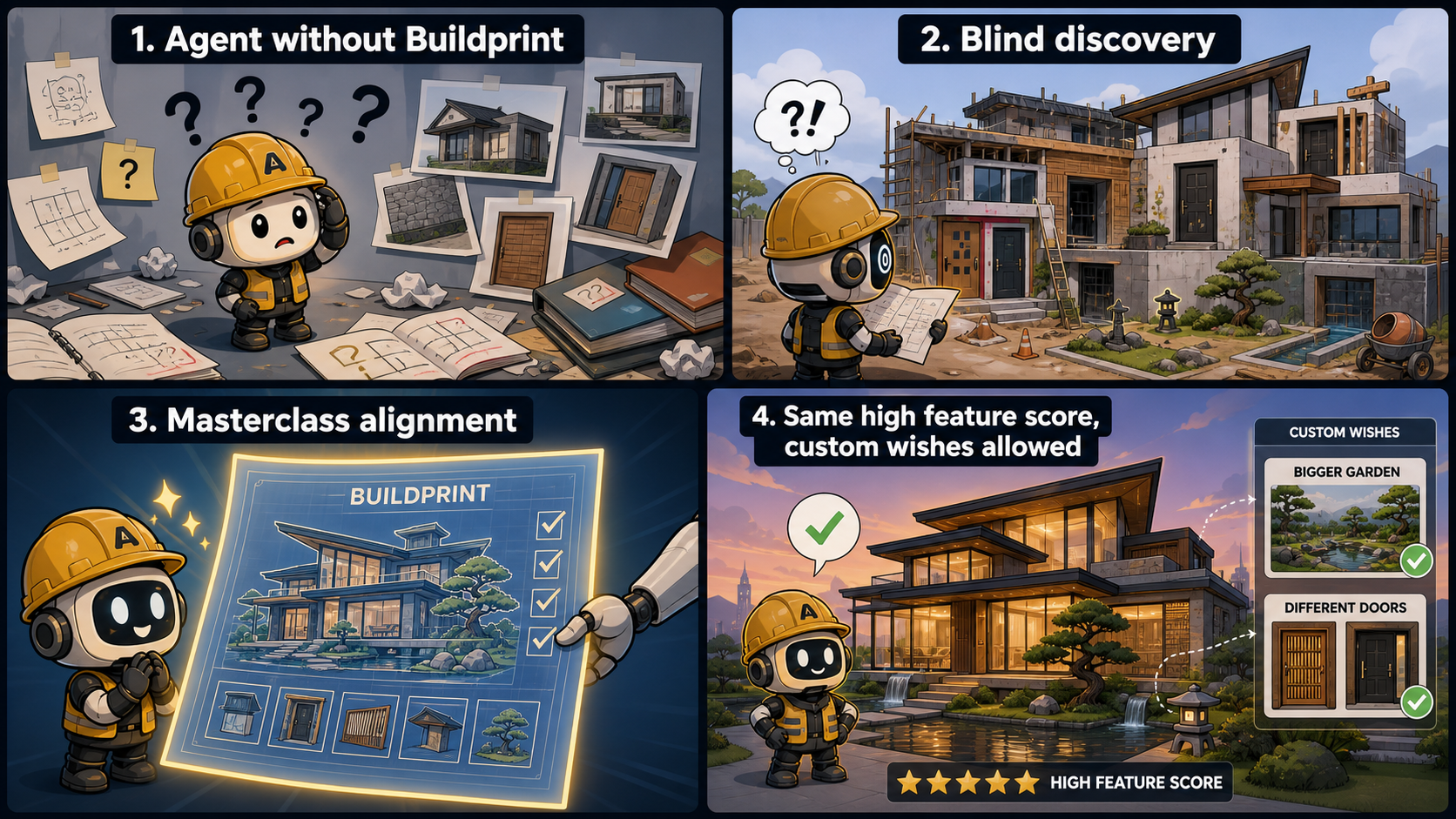
Skills vs Buildprints
Skills teach an agent how to work. Buildprints tell an agent what to install, change, or build in a target codebase and how to prove it worked.
Run a ready Buildprint
This is the fastest path. The registry detail page carries the maintained agent prompt for each packet.
- Open the registry.
- Choose a packet, for example RBAC Permissions.
- Click
Copy Agent Prompton the Buildprint page. - Paste it into your coding agent from inside the target repo.
- Review the changed files, verification evidence, and handover.
Load exact files with AGB
AGB is optional, but recommended when you want the packet files downloaded into the workspace before the agent starts. Install the CLI globally for the shortest command:
npm install -g agent-buildprint
mkdir rbac-build
cd rbac-build
agb start https://agent-buildprint.com/buildprints/rbac-permissions/package.json .Expected output:
.buildprint/
|-- next-agent.md
|-- source.json
|-- state.json
|-- progress.md
|-- decisions.md
|-- blockers.md
`-- snapshots/.buildprint/next-agent.md. That file points it at the required packet files and read order. Or skip the global install and run the same CLI from a clone:
git clone https://github.com/DomEscobar/agent-buildprint
node agent-buildprint/bin/agb.js start \
https://agent-buildprint.com/buildprints/rbac-permissions/package.json .Packet anatomy
The exact files vary by packet type, but every good packet has a start file, machine-readable route, ordered work, and proof requirements.
example-buildprint/
|-- BUILDPRINT.md       # canonical start file
|-- README.md           # human overview
|-- blueprint.yaml      # product packet route
|-- capability.yaml     # capability packet route
|-- 00-questions.md     # hard-stop questions
|-- 01-project-setup.md # setup, commands, constraints
|-- 03-phases/
|   |-- phase-index.yaml
|   |-- phase-flow.md
|   |-- 01-contracts.md
|   |-- 02-implementation.md
|   `-- 03-verification.md
`-- HANDOVER.md         # final receipt
Both packet shapes and the proof ladder are documented in full on the packet format page.
Agent-readable packets
A Buildprint is more than a prompt. It makes the work explicit enough that a fresh coding agent can start without rediscovering the job from scratch.
BUILDPRINT.md tells the agent what to read first./llms.txt for machine-readable navigation instead of scraping the UI. Proof and handover
Done means the agent can show evidence, not just describe the patch.
- What changed
- Files touched
- Commands or tests run
- Evidence that required checks passed
- Known gaps or follow-up work
Publish checklist
Before a Buildprint goes into the registry, check it like a packet another agent will run without you in the room.
BUILDPRINT.mdis the canonical start file.- Read order is explicit.
- Scope and non-goals are clear.
- Compatibility and host assumptions are stated.
- Implementation phases are ordered and bounded.
- Verification has concrete checks.
- README helps humans but does not override the packet authority.